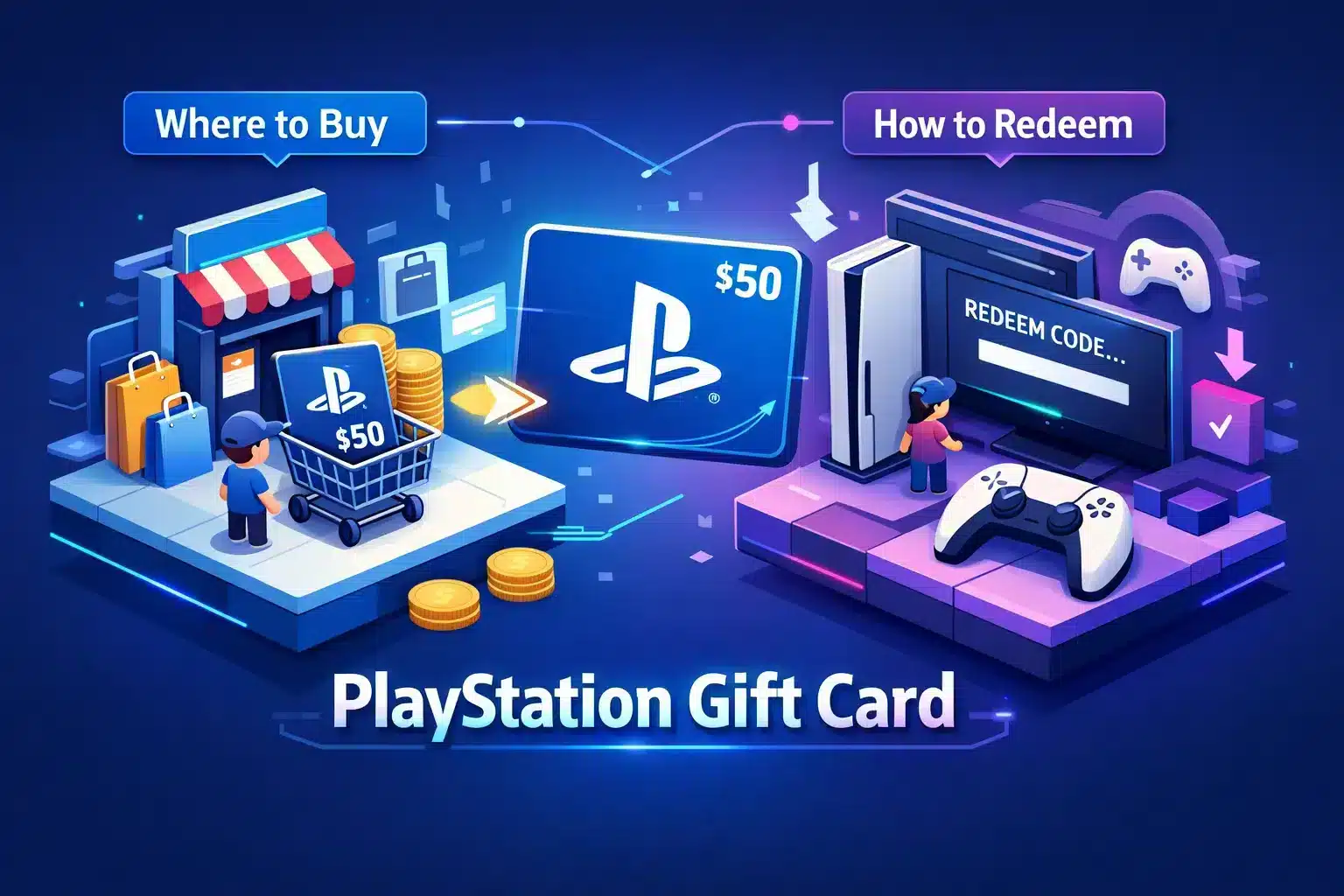
A PlayStation gift card is the fastest way to add funds to your PlayStation Store wallet. Knowing where to buy a PlayStation gift card online saves time, avoids region mismatch and gets you back to gaming sooner. This guide lists official sellers, discount marketplaces and a local option so you can compare price, delivery speed and safety and avoid codes that won’t redeem.
What you need to know
- Prefer official retailers and major marketplaces for the most reliable PSN codes and clearer refund options; trusted local sellers add instant delivery and local pricing, while discount sites can save money but carry reputation and region risks.
- Choose digital cards for instant email delivery to avoid shipping delays or lost codes; use physical cards when you want a boxed gift.
- Match the card’s country to your PSN account and store currency, since region mismatch is the most common reason codes won’t redeem; skip listings that do not show the card country clearly.
- Watch for scams: check seller reviews, delivery methods and refund policies, and avoid listings that look too cheap or only show images of codes. Use buyer-protected payment methods when possible.
Where to buy PlayStation gift cards online
Buying a PlayStation gift card online is simple once you understand the main seller types and what they offer. Official stores, major retailers, discount marketplaces and local sellers trade off price, delivery speed and buyer protection. Decide whether you want the lowest price or the fastest, safest delivery before you buy so you don’t risk an unusable code.
Official sources and major retailers include PlayStation Direct and stores like Amazon, Best Buy, Target, Walmart and GameStop. They usually sell digital PlayStation Store cards in common denominations with near-instant email delivery or same-day digital fulfillment, and product pages often show region and currency details. Buying from them generally means more reliable codes and a clearer refund path.
Discount marketplaces and third-party sellers such as Eneba and OffGamers sometimes list PSN codes below face value. If you use these sites, check seller ratings, read recent reviews and confirm the PSN region shown on the listing before you pay. If a listing is much cheaper than others, verify the seller and delivery method to reduce the chance of receiving a code that cannot be redeemed.
Local digital retailers simplify purchases for non-US buyers by showing local currency and filtering by PSN region. Shiko Game Store displays prices in EGP, delivers codes instantly by email and provides live support to resolve redemption issues. Local options let you prioritize region-safe delivery and fast help when you buy a PlayStation gift card online.
Pick the right card: denominations, delivery and pricing
Choose digital for speed and safety. Digital PSN codes arrive by email immediately, so you can redeem right away and avoid shipping delays or lost cards. Physical cards still make sense when you want a printed or boxed gift, but digital is usually faster and carries less risk.
Pick a denomination that matches your purchase. Small cards, around $5 to $15, cover add-ons and single DLC; mid-range cards, $20 to $60, handle most individual games; and higher values near $75 to $100 suit bundles, season passes or multiple purchases. For subscriptions, buy a bit more than the renewal amount so your balance covers the next billing cycle without interruption.
At checkout, confirm the exact store price, match the card region to your account and choose digital or physical based on whether you need immediate delivery or a giftable item. A single full-price title often fits a $50 or $60 card, while a base game plus a season pass may require $75 to $100 or two cards. Read the total cost and any seller fees, and use buyer-protected payment methods when possible.
Understand region locks and account compatibility
Region mismatch is the most common cause of a failed redemption. PlayStation gift cards are tied to a specific country and will only redeem on a PSN account that matches that country and store currency, so a US card will not work on a UK account. UK buyers can find compatible options such as Digital PSN Cards UK to avoid region issues.
Quick checks save time. On your PS5 or in account management on the PlayStation website, confirm your account country, billing address and the currency shown in the PlayStation Store, since those fields determine which region can redeem a code. If a seller does not list the card country clearly, do not buy the code.
If you need to accept a gift from another region, safe workarounds include creating a new PSN account set to the card’s country or asking the sender to buy the correct-region card for your account. Avoid VPN-based redemption or fake billing methods because they often lead to purchase failures, charge disputes and possible account restrictions. For buyers in Egypt and the MENA region, many local sellers filter by PSN region so you can confidently buy a compatible code.
How to redeem a PlayStation gift card on PS5, PS4 and the web
Redeem on PS5, step-by-step
Redeeming a PlayStation gift card on PS5 takes less than a minute when you follow the right path. Sign in to the PSN account that matches the card region, open the PlayStation Store, select More (the three dots) and choose Redeem Code. Enter the 12-digit code exactly as shown and confirm to add funds or content to your wallet.
- Open PlayStation Store → More (three dots) → Redeem Code.
- Type the 12-digit code exactly and press Confirm.
- Funds or content appear immediately in your account.
Redeem on PS4, step-by-step
Redeeming on PS4 follows a similar flow and works from the Store sidebar or your profile menu. Sign in to the correct account, open PlayStation Store, select Redeem Codes in the left sidebar or access Redeem via your profile, then enter the code and confirm. If content does not appear, check your Wallet balance or sign out and back in to refresh your Library.
- Open PlayStation Store → Redeem Codes (sidebar) or Profile → Redeem.
- Enter the code → press R2 or Confirm → verify Library or Wallet.
Redeem on the web and mobile app, step-by-step
Use store.playstation.com or the PlayStation App to redeem from a browser or phone. Sign in, click your profile icon, choose Redeem Code, type the digits and confirm; funds appear in your wallet immediately and purchased content will begin downloading on a linked console or show in your Library. If you prefer an extra walkthrough, see the external redeem code guide for step-by-step tips and screenshots.
Troubleshoot common redemption errors
Most redemption failures have simple causes: the wrong account, region mismatch, a previously used code or a network problem. First confirm you are signed in to the same PSN account the card is intended for and that the store currency matches the card’s region. If the seller shows the code as unused but PlayStation reports an issue, contact the seller first and then consult PlayStation Support’s voucher code troubleshooting with your purchase receipt and the code.
- Check account region and store currency.
- Confirm the code has not already been redeemed.
- Ensure a stable network connection and try signing out and back in.
- Contact the seller first, then PlayStation Support if needed; keep receipts and timestamps for disputes.
Use the funds: games, add-ons and subscriptions
Redeeming a PlayStation gift card adds credit to your PlayStation wallet that you can spend on games, add-ons and subscriptions. Wallet credit covers pre-orders, full games, DLC, season passes, in-game currency and cosmetic bundles, so always confirm the price shows in your account’s store currency before completing checkout. Remember that region compatibility applies to add-ons and season passes, so make sure the add-on matches the base game’s region.
You can use wallet funds to pay for PlayStation Plus and other subscriptions, and the system will draw from that balance when a renewal is due. To avoid interrupted service, turn off auto-renewal before a renewal date or keep a buffer balance or backup payment method on file. A practical rule is to add a little more credit than the renewal cost so you don’t lose access during a billing gap.
- Add-ons and DLC packs
- Season passes and battle passes
- In-game currency and cosmetic bundles
Avoid scams, refunds and pick a trusted seller
Watch for common red flags before you pay: sellers with few reviews, offers that look too good, listings that only show images of codes, or payment methods without buyer protection. Ask the seller which PSN region the code is for, how you will receive it and what their refund policy covers. If the seller cannot answer clearly, choose a different vendor.
Ready to buy your PlayStation gift card?
Buying a PlayStation gift card is straightforward once you know the options and what to check at checkout. Choose among official PlayStation stores, major marketplaces and local retailers, and compare price, delivery speed and seller reputation before you buy. You can also purchase from major retailers like Best Buy if you prefer a familiar store. In Egypt, values from 100 to 300 EGP cover DLC and smaller titles, while 500 EGP and above fund full-price games and season passes, so pick a value that matches your goal to avoid a second purchase.